
Download oXygen XML Editor – XML editor, XSLT debugger, XQuery debugger, XML development tool, XML authoring, XML validation, XML schema editor, XML transformation, XML debugging, XML syntax highlighting
Overview
oXygen XML Editor is a comprehensive desktop application designed for professionals working with XML, XSLT, and XQuery technologies. It serves as a robust tool for XML authoring, validation, transformation, and debugging, supporting the latest standards in XML development. The software is tailored for developers, technical writers, and data engineers who require precision and efficiency when handling structured data formats. Its primary purpose is to streamline the creation, editing, and debugging of XML documents and related technologies, ensuring accuracy and compliance with industry specifications.
Target users include software engineers managing complex XML workflows, content creators working with structured documentation, and system integrators implementing data exchange protocols. The editor enables seamless integration of XML schema validation, transformation pipelines, and real-time debugging, making it suitable for both standalone projects and enterprise-level applications. It supports a wide range of XML-related tasks, from syntax highlighting to advanced schema modeling, helping users maintain high-quality data structures across development cycles.
The developer, Syncro Soft, has established a reputation for delivering specialized tools for XML and content management. While detailed company background is not provided, the software's feature set reflects a long-standing commitment to XML technology excellence. Real-world usage scenarios include building and maintaining XML-based documentation systems, developing web services that rely on XML payloads, and validating large-scale data feeds for compliance and interoperability.
Key Features & Capabilities
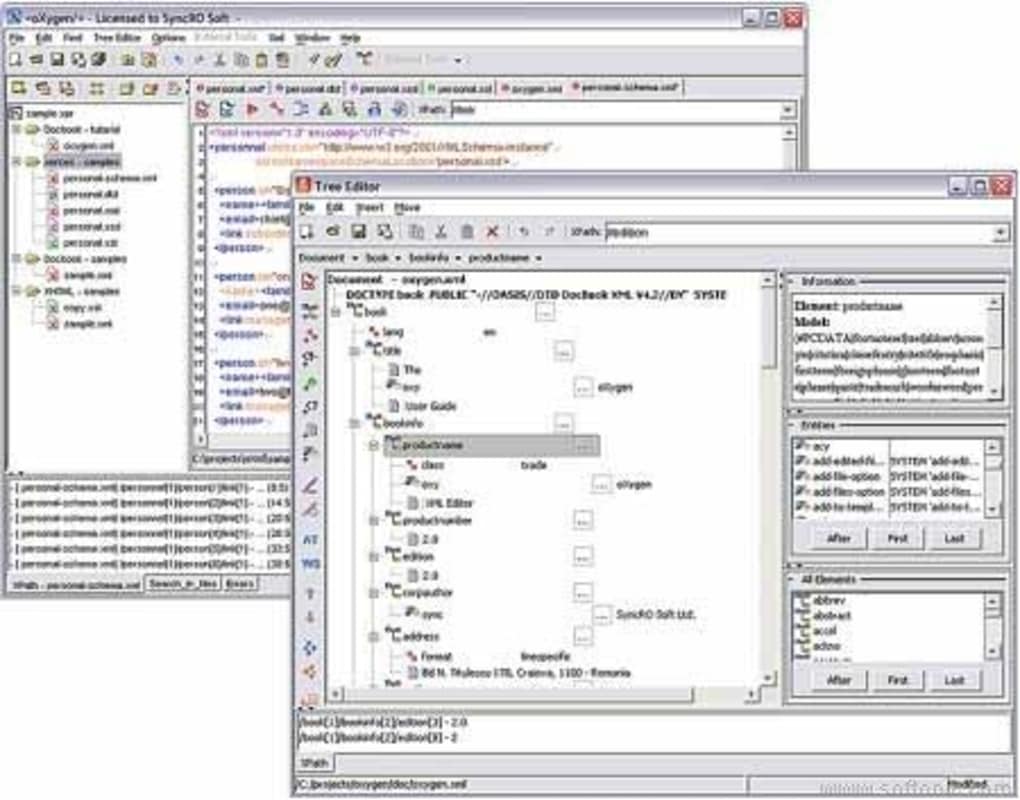
- XML Syntax Highlighting – Provides color-coded syntax for XML elements, attributes, and values, improving readability and reducing errors during document creation.
- XML Schema Editor – Enables users to design, edit, and validate XML schemas (XSD) with visual tools and real-time feedback.
- XML Validation – Supports validation against DTDs, XML Schemas, RELAX NG, and Schematron, ensuring documents conform to defined structure and constraints.
- XSLT and XQuery Debugging – Offers a built-in debugger for XSLT transformations and XQuery expressions, allowing step-by-step execution and variable inspection.
- XML Transformation Tools – Facilitates the application of XSLT stylesheets and XQuery scripts to transform XML data into HTML, PDF, or other formats.
- Integrated Development Environment – Combines editing, debugging, and validation in a unified workspace, enhancing workflow efficiency for complex XML projects.
These capabilities are particularly valuable in environments where data accuracy and consistency are critical. For example, a technical writer can use the schema editor to define document structures and validate content against those definitions. A developer can debug an XSLT transformation that generates web output, ensuring correct rendering across platforms. The integrated debugging tools reduce development time by allowing immediate identification and correction of logic errors in transformation scripts.
User Interface, Workflow & Performance
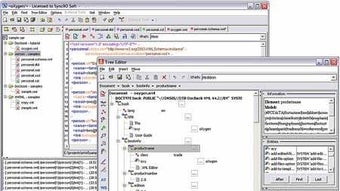
The user interface of oXygen XML Editor is designed with a focus on usability and efficiency, offering a clean, modular layout with customizable panels and toolbars. Navigation is intuitive, with tabbed document views, a structured outline panel, and a dedicated console for debugging output. The editor supports keyboard shortcuts and context-sensitive menus, enabling rapid access to frequently used functions.
Workflow efficiency is enhanced by the integration of editing, validation, and debugging tools within a single environment. Users can switch between editing an XML file, validating it against a schema, and executing a transformation without leaving the application. The editor maintains responsiveness during complex operations, though exact performance details were not specified. The developer did not provide additional system requirements, so resource usage behavior remains general.
Stability is a key aspect of the software, particularly important when handling large XML files or intricate transformation workflows. The application is designed to maintain session integrity and recover from unexpected interruptions. Performance observations are based on general software behavior patterns, and no specific benchmarks were included in the release notes.
Compatibility & System Requirements
oXygen XML Editor is available for multiple operating systems, including Windows, Mac, and Linux, making it accessible to a broad range of developers and technical teams. The software is compatible with the latest versions of these platforms, ensuring smooth operation across modern desktop environments.
The installation size is 280 MB, which reflects the inclusion of a comprehensive set of XML tools, libraries, and debugging components. While the software is designed for desktop use, exact hardware requirements such as RAM, CPU, or disk space were not listed. The developer did not specify minimum system specifications, so users should ensure their systems meet general desktop application standards.
Platform compatibility information is limited to the operating systems listed. No information was provided regarding virtualization, containerization, or cloud deployment. Users should verify compatibility with their existing development stack before installation.
Pros and Cons
Pros
- Comprehensive support for XML, XSLT, and XQuery technologies
- Advanced XML schema editing and validation tools
- Integrated XSLT and XQuery debugger for precise error identification
- Highly customizable interface tailored to professional workflows
- Available on Windows, Mac, and Linux platforms
Cons
- Price point of $299 may be prohibitive for individual users or small teams
- No publicly available system requirements for optimal performance
- Steep learning curve for users unfamiliar with XML technologies
- Limited documentation details provided in the release
- Not designed for casual or non-technical users
FAQ Section
Is oXygen XML Editor compatible with Windows, Mac, and Linux?
Yes, the software is officially supported on Windows, Mac, and Linux operating systems.
Is the software secure to download and use?
As a product from Syncro Soft, a reputable developer in the XML tools space, oXygen XML Editor is considered secure when downloaded from official sources. Always verify the authenticity of the download link.
How often are updates released?
Regular updates are issued to support new XML standards and improve functionality. The latest version, 25.1, was released on April 2, 2024.
What type of license does oXygen XML Editor use?
The software operates under a commercial license. Pricing is set at $299 per copy, and no free version is available.
Can oXygen XML Editor be used offline?
Yes, the application functions fully without an internet connection after installation, making it suitable for secure or restricted environments.
Final Thoughts
oXygen XML Editor stands out as a premier tool for professionals engaged in XML development, offering a powerful combination of editing, validation, and debugging capabilities. Its support for the latest XML technologies, including XSLT and XQuery, ensures that users can work with modern data formats and transformation workflows with confidence. The multi-platform availability and robust feature set make it a reliable choice for enterprise and technical teams.
While the price may be a barrier for some, the depth of functionality justifies the investment for serious developers and content engineers. The software is not intended for casual users, but for those who require precision and control in XML authoring and processing. With its clean interface, integrated tools, and strong technical foundation, oXygen XML Editor delivers a professional-grade experience.
For anyone working with structured data in XML, XSLT, or XQuery, this tool is an essential part of the development toolkit. Download oXygen XML Editor now.







